
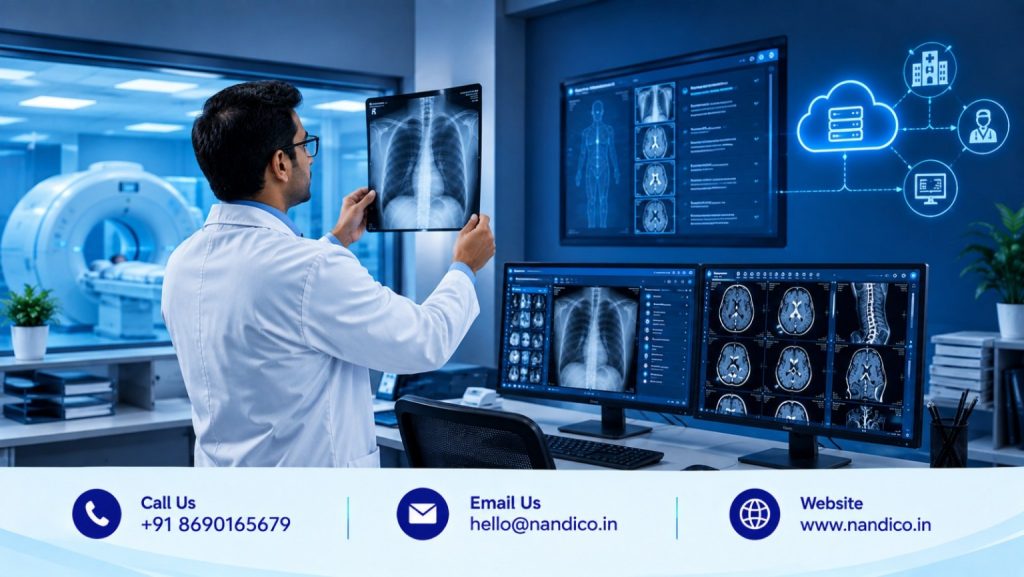
A modern imaging centre does much more than perform scans. Every day, it handles patient information, imaging studies, DICOM files, reporting, image sharing, storage, and communication with radiologists and clinicians.
When these activities are managed through disconnected systems, even routine cases can take more time than necessary.
A radiology software platform can bring these workflows together.
The right solution can help an imaging centre manage medical images, support radiologists, simplify reporting, reduce manual work, and make studies easier to access and share. However, choosing the Best Radiology Software in India is not simply about selecting the software with the longest feature list.
Different imaging centres have different needs. A small diagnostic centre may prioritize affordability and easy image sharing, while a large centre may need multi-user access, reporting workflows, cloud storage, and integration with existing hospital systems.
This guide explains the key factors imaging centres should evaluate and how a platform like Nandico fits into the modern radiology workflow.
What Is Radiology Software?
Radiology software refers to digital systems that help healthcare organizations manage different parts of the medical imaging process.
Depending on the platform, it may support:
- Medical image viewing
- DICOM study management
- Radiology reporting
- Image storage
- Patient information
- Digital image sharing
- Remote reporting
- Workflow management
- Communication between radiologists and clinicians
- Integration with other healthcare systems
A modern platform should not simply act as digital storage. It should help connect the activities that happen before, during, and after a radiology examination.
Nandico approaches radiology software through a cloud-based ecosystem that includes PACS, DICOM viewing, reporting tools, digital sharing, and solutions for hospitals, diagnostic centres, radiologists, and teleradiology companies.
Why Imaging Centres Need More Than Basic Image Storage
Medical imaging generates large volumes of data.
A CT examination can contain hundreds or even thousands of images. MRI studies can also generate substantial datasets. If these studies are stored but difficult to access, the storage system alone does little to improve the radiology workflow.
An imaging centre needs a system that helps answer practical questions:
- Where is the patient’s study?
- Can the radiologist open it quickly?
- Can previous images be reviewed?
- How can the report be prepared?
- Can the study be shared digitally?
- Can clinicians access the required information?
- How can staff track completed and pending cases?
These questions explain why modern radiology software has become an important part of imaging operations.
Key Features to Compare Before Choosing Radiology Software
1. Advanced DICOM Image Viewing
The DICOM viewer is one of the most important components of radiology software.
Radiologists need to examine images carefully and navigate through studies efficiently. A basic image viewer may not be enough for professional reporting.
When evaluating software, look for features such as:
- Zoom and pan
- Image scrolling
- Window width and level
- Measurements
- Image magnification
- Reference lines
- Multiplanar reconstruction
- Hounsfield Units for CT images
- Customizable viewing formats
Nandico’s Radiology PACS includes these types of DICOM viewing capabilities and is designed to support CT and MRI reporting.
The purpose is not simply to display an image. The viewer should help the radiologist interpret the study comfortably.
2. Cloud-Based Accessibility
Traditional imaging workflows often depend heavily on a particular computer, workstation, or local server.
Cloud-based radiology software changes this model.
Authorized users can access studies through connected devices without depending entirely on one physical location. This can be useful when radiologists work remotely, when clinicians need access outside the radiology department, or when an organization operates multiple locations.
Nandico’s cloud-based PACS allows users to view and manage studies through devices including computers, tablets, and smartphones, according to its official platform information.
For modern imaging centres, this flexibility can make collaboration much easier.
3. Integrated Reporting
Image viewing and reporting are naturally connected.
If a radiologist has to open one application to view the study and another completely separate system to prepare the report, the workflow can become unnecessarily complicated.
Good radiology software should make reporting accessible from the same overall environment.
Nandico provides a built-in reporting editor with features such as customizable formats, shortcuts, and autocomplete support. Its platform also supports reporting CT and MRI cases remotely.
This can help radiologists spend less time managing software and more time interpreting cases.
4. Remote Reporting Support
Modern imaging centres do not always depend on radiologists being physically present.
A centre may work with:
- In-house radiologists
- Visiting specialists
- Remote radiologists
- Teleradiology companies
- Subspecialty experts
Radiology software should therefore support flexible reporting workflows.
Nandico’s Teleradiology PACS is specifically designed for radiologists and teleradiology companies that report cases remotely for diagnostic centres. It combines cloud-based PACS, a DICOM viewer, centralized case tracking, and reporting tools.
This allows the same broader ecosystem to support both local and remote radiology workflows.
5. Easy Digital Image Sharing
Physical CDs and films can create unnecessary delays.
Patients may need to carry imaging studies between doctors. Clinicians may need to review a scan with another specialist. A radiologist may need to discuss a complex case with a colleague.
Digital sharing can make these interactions easier.
Nandico provides digital sharing as one of its core solutions, aimed at radiology centres, hospitals, and medical colleges. Its platform highlights digital films, workflow management, and sharing capabilities for patients and clinicians.
For an imaging centre, this can also reduce dependence on physical media and make patient communication more convenient.
6. Efficient Workflow Management
A good radiology system should help staff understand what is happening with each case.
For example:
A patient completes a CT scan.
The images are uploaded.
The radiologist receives the study.
The case is interpreted.
The report is completed.
The images and report are shared with the appropriate person.
When these stages are not connected, staff may need to make phone calls, send messages, or manually check multiple systems.
Nandico’s PACS includes centralized workflow features and dashboards designed to help track cases and reduce communication gaps.
For busy imaging centres, better workflow visibility can have a direct effect on daily operations.
7. Integration With Hospital Information Systems
Larger imaging centres and hospitals may already have an HIS or other healthcare information system.
If radiology software cannot communicate effectively with existing systems, staff may have to enter patient information multiple times.
This increases administrative work and can introduce avoidable data-entry mistakes.
Nandico’s institutional PACS supports integration with HL7-compliant HIS systems, allowing access to patient records and history across departments while reducing manual intervention.
Before purchasing software, imaging centres should therefore check integration requirements rather than assuming every PACS will connect to their existing infrastructure in the same way.
8. Storage and Data Management
Medical imaging data needs to be managed for more than just the day of the examination.
Patients may return for follow-up scans. Radiologists may need to compare previous studies. Clinicians may need older reports or images.
Therefore, storage should be evaluated alongside retrieval.
Important questions include:
- How long will studies remain available?
- How quickly can old cases be retrieved?
- How is storage expanded?
- What happens as imaging volume increases?
- What are the additional storage costs?
Nandico’s institutional PACS describes cloud-based data management with an OPEX storage model and immediate retrieval of stored cases.
The exact storage requirements should still be matched to the centre’s workload and retention policies.
9. Scalability
A software platform should be able to grow with an imaging centre.
A diagnostic centre that starts with one location may eventually add another branch. It may increase the number of radiologists, introduce new modalities, or handle substantially more cases.
Replacing the entire system every time the organization grows can be expensive and disruptive.
Nandico provides solutions for individual radiologists, diagnostic centres, teleradiology companies, hospitals, and medical institutions, allowing its technology to address different operational requirements.
When comparing platforms, consider not only today’s requirements but also where the imaging centre may be in the next few years.
10. Ease of Use
Healthcare professionals already work under time pressure.
Complicated software can create another obstacle.
A useful radiology platform should be straightforward enough for radiologists, technicians, administrators, and clinicians to understand according to their respective roles.
Nandico emphasizes browser-based access without requiring software installation simply to view images, which can reduce some of the technical barriers associated with traditional systems.
Ease of use should always be tested through an actual product demonstration rather than judged only from a feature list.
How Nandico Supports Modern Imaging Centres
Nandico was created specifically around the needs of the radiology community. Its founder’s stated objective was to address the gap between expensive systems and affordable solutions that may compromise on features.
Today, Nandico’s platform covers several areas of digital radiology.
Its main ecosystem includes:
PACS for Institutions: Designed for hospitals, medical colleges, and high-volume institutions, with features including HIS integration, DICOM viewing, reporting, data management, and workflow support.
Teleradiology PACS: Designed for radiologists and teleradiology companies working with diagnostic centres, with cloud-based access, DICOM viewing, centralized dashboards, and reporting.
Digital Sharing: Designed to help radiology centres, hospitals, and medical colleges share imaging information digitally and manage related workflows.
This makes Nandico more than a simple image archive.
It provides a connected approach to imaging, reporting, remote access, and communication.
Is Cloud Radiology Software Suitable for Every Imaging Centre?
Cloud-based software can be useful for many imaging centres, but the decision should be based on actual operational needs.
A centre should evaluate its:
- Daily case volume
- Number of radiologists
- Imaging modalities
- Existing IT infrastructure
- Reporting model
- Storage requirements
- Number of locations
- Integration requirements
- Budget
For smaller centres, cloud software can reduce dependence on expensive local infrastructure. For larger organizations, it can provide flexibility across departments and locations.
The important thing is to select a platform that fits the workflow rather than choosing cloud technology simply because it is popular.
Questions to Ask Before Buying Radiology Software
Before making a final decision, imaging centres should request a demonstration and test the platform using realistic cases.
Ask:
Can radiologists view CT and MRI studies comfortably?
Does the platform support remote reporting?
How does the reporting workflow work?
Can patient information integrate with existing systems?
How are images shared with clinicians and patients?
How is data stored and retrieved?
Can the system scale as case volume increases?
What technical support is provided?
What are the complete costs, including storage and additional users?
These questions can reveal whether a platform is genuinely suitable for everyday radiology operations.
Why Nandico Is a Practical Choice for Modern Radiology
The value of radiology software ultimately comes down to how well it fits into the daily workflow.
Nandico focuses on making that workflow more connected.
Radiologists can access imaging studies through a cloud-based environment. Imaging centres can manage digital studies. Clinicians can participate in case discussions. Hospitals can integrate radiology workflows with broader information systems. Remote reporting can be supported without making the entire process dependent on a physical workstation.
Nandico also focuses on accessibility and cost efficiency, with published pricing for different services and solutions rather than relying only on customized enterprise quotations.
For an imaging centre comparing software, this combination of functionality, accessibility, and scalability makes Nandico worth evaluating.
Conclusion
Choosing the Best Radiology Software in India is an important technology decision for any modern imaging centre.
The right platform should do more than store scans. It should support image interpretation, reporting, remote access, digital sharing, data management, workflow coordination, and integration with the wider healthcare environment.
A reliable DICOM viewer, cloud accessibility, reporting tools, scalable storage, workflow management, and simple digital sharing can make a significant difference to everyday operations.
Nandico brings these capabilities together through its cloud-based radiology ecosystem, serving radiologists, diagnostic centres, hospitals, medical colleges, and teleradiology companies.
For imaging centres considering a new radiology software platform, the best approach is to evaluate the complete workflow rather than focusing on individual features. Test the viewer, review reporting, understand storage and integration, and make sure the system can grow with your organization.
The right radiology software should not add another layer of complexity. It should make the work of radiologists, clinicians, technicians, and administrators simpler.
FAQs
1. What is the Best Radiology Software in India?
The best radiology software depends on the imaging centre’s workflow, case volume, reporting requirements, number of users, storage needs, integration requirements, and budget. A product demonstration is useful before making a final decision.
2. What should imaging centres look for in radiology software?
Important features include an advanced DICOM viewer, cloud access, reporting tools, digital image sharing, workflow management, storage, scalability, integration capabilities, and reliable technical support.
3. Can Nandico be used by diagnostic imaging centres?
Yes. Nandico provides cloud-based radiology solutions for diagnostic centres along with separate PACS offerings for hospitals, medical colleges, radiologists, and teleradiology companies.
4. Does Nandico support CT and MRI reporting?
Yes. Nandico’s Radiology PACS provides DICOM viewing and reporting capabilities for CT and MRI cases, including tools such as windowing, measurements, zooming, panning, scrolling, and multiplanar reformation.
5. Can Nandico support remote radiology reporting?
Yes. Nandico’s Teleradiology PACS is designed for radiologists and teleradiology companies reporting cases remotely for diagnostic centres and includes cloud-based PACS, DICOM viewing, centralized case tracking, and reporting features.